

How to Create Your Huxxle Account in Minutes (Step-by-Step)
Sign up on Huxxle in minutes by visiting the website, creating your account, and verifying it with a quick OTP on WhatsApp but that’s just the beginning. What happens next is where it gets interesting activate your site, complete a simple setup, and watch your fully functional business website go live, ready to attract customers and start generating sales.
Features
How to Sign Up on Huxxle
1. Visit [www.huxxle.com](huxxle.com) to learn about Huxxle
Head over to the official website to understand what Huxxle offers. You’ll see how it helps you create a simple business website, manage products, and receive payments. All in one place.
2. Click “Get Started for Free” to create an account
Look for the “Get Started for Free” button on the homepage. This is your entry point to setting up your business online without any upfront cost.
3. Enter your email or phone number
Provide a valid email address or phone number. Make sure it’s one you have access to, as this will be used to verify your account and send important updates.
4. An OTP will be sent to your WhatsApp, enter it and proceed
You’ll receive a One-Time Password (OTP) via WhatsApp. Enter the code correctly to confirm your identity and complete your registration.
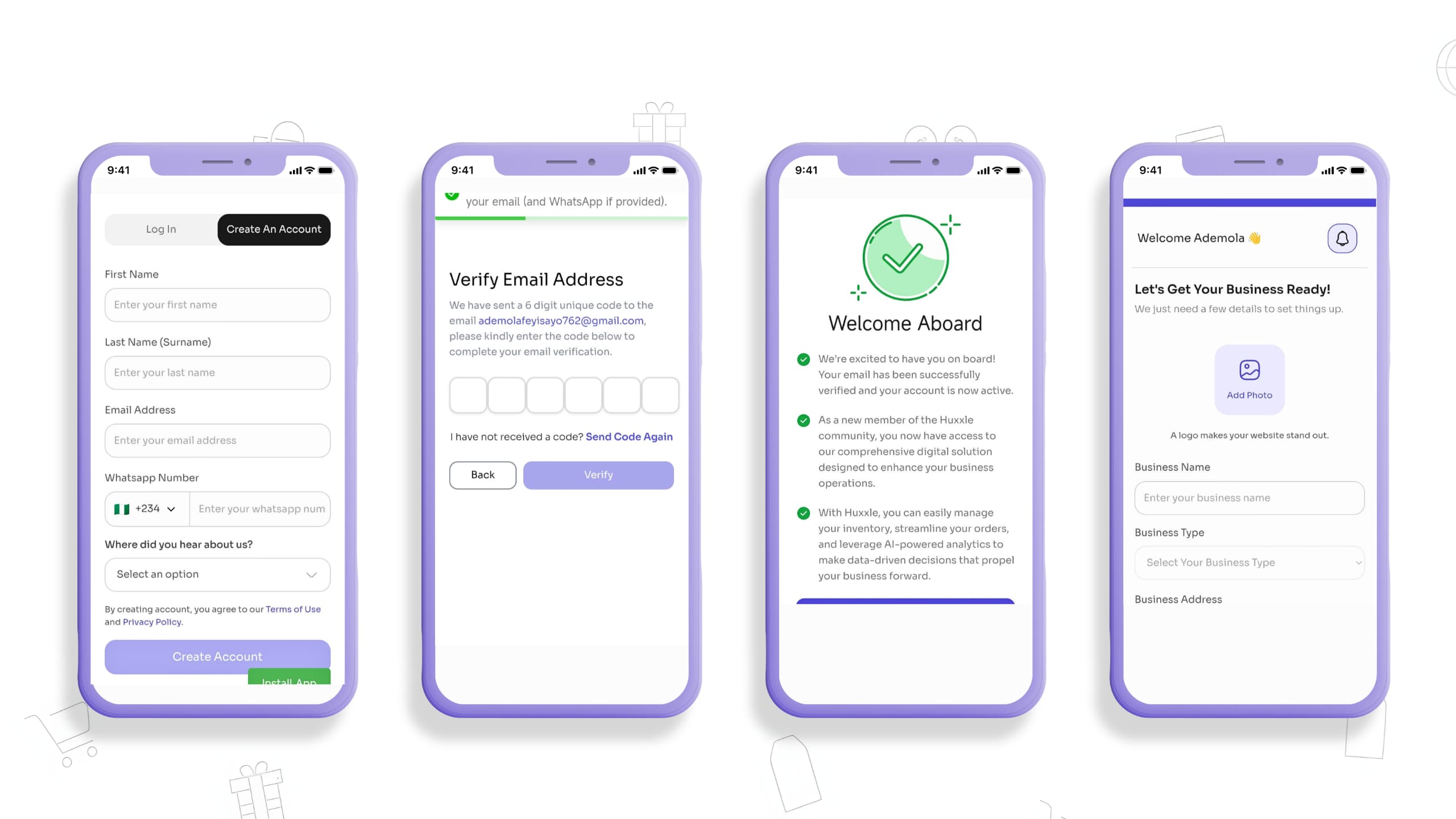
Activate Your Website
5. Your website will be inactive at first
After signing up, your website is created but not yet live. This allows you to set everything up properly before customers can access it.
6. On your homepage, click the orange box to activate it
You’ll see an activation button on your dashboard. Click it when you're ready to make your website visible to others.
Complete the Setup (3 Steps)
7. Add your bank details to receive payments
Input your bank account details so you can receive payments directly from customers. Ensure the information is accurate to avoid payment issues.
8. Upload your business logo/picture and fill in your business details
Add your logo or a clear business image to make your page look professional. Then complete your business name, description, and other relevant details to build trust with customers.
9. Add product (select from your gallery and complete details)
Upload a product image from your gallery, then include the product name, price, and description. This is what customers will see and purchase from your website.
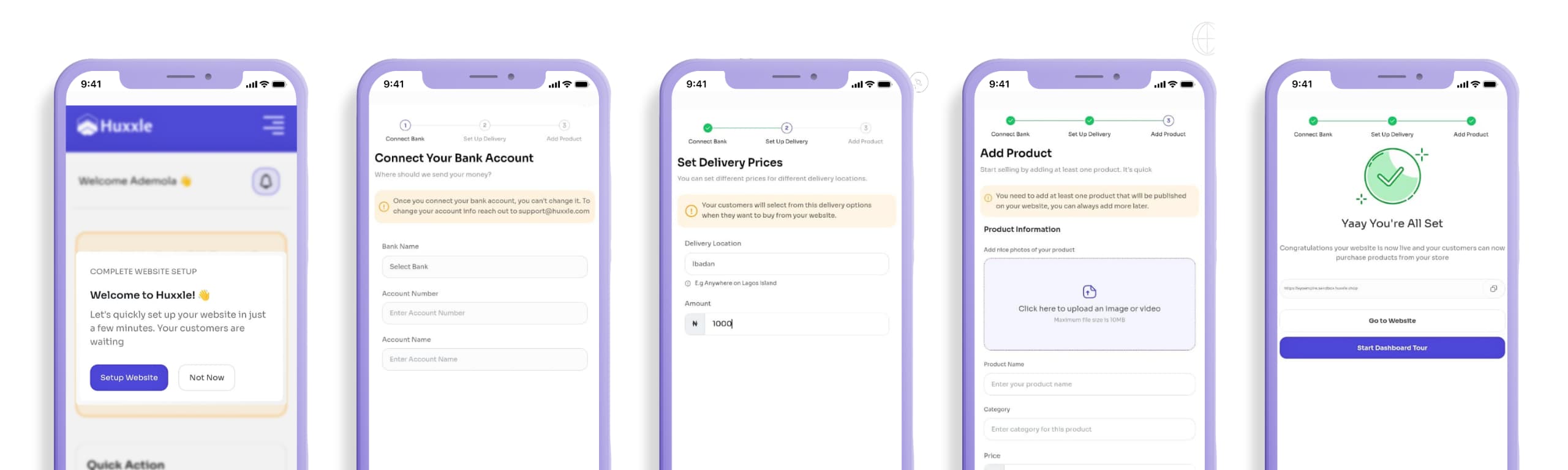
You’re Live 🎉
10. Once done, your website goes live, the orange box turns green
After completing the setup and activation, your website becomes live. The orange button turning green confirms that your store is now active and accessible.
11. Add more products, copy your website link, and start marketing
Keep adding more products to grow your store. Copy your website link and share it on WhatsApp, Instagram, and other platforms to attract customers and start making sales
Are You Still Confused with the Setup? 😫
You’re now ready to sell, organized, and built for growth 🚀
But everything feels confusing, our Instagram post breaks it down with clear visuals to guide you every step of the way:
Prefer a full walkthrough? Watch the video below for a complete step by step explanation of the entire process:
Huxxle Account Creation

Email | Direct Response Copywriter. I specialize in writing persuasive and highly converting copy for brands and agencies.


 2026 Huxxle Inc.


